How to Sign up on 1688 App: A Step-by-Step Guide (2026)
Find out how to sign up on 1688 app step by step. 1. Download the 1688 app. 2. Open the app. 3. Enter your phone number. 4. Get the verification code.
1688IMPORTINGSOURCING FROM CHINA
by Sunday Omeje
4/1/20263 min read

Creating a 1688 account, especially through the website, can be complicated and time-consuming. So, many people now use the mobile app to create it instead.
In this guide, you’ll learn how to sign up on 1688 app.
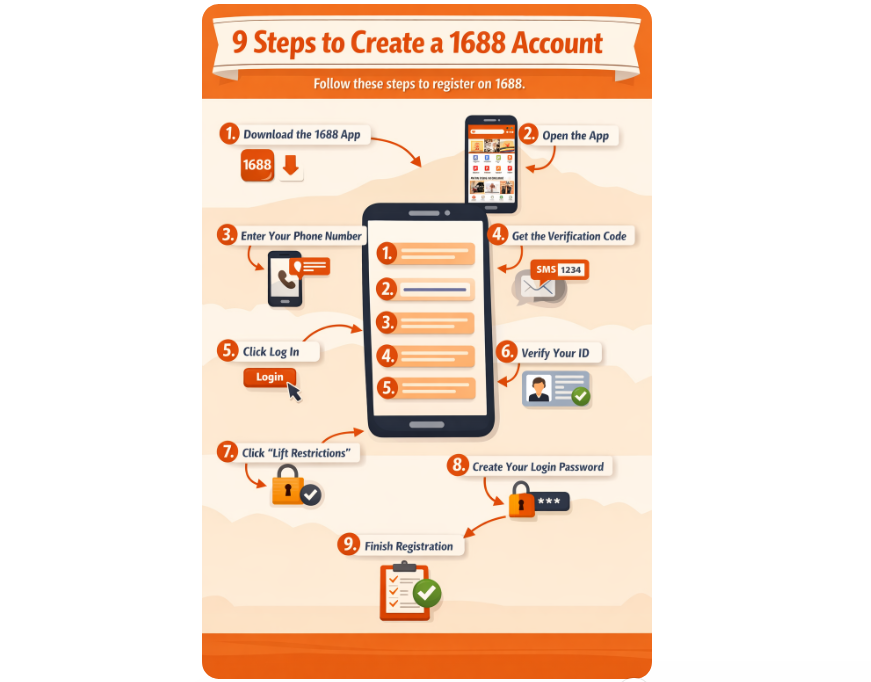
How to create 1688 account in 9 Simple Steps
Follow these simple steps to create your account directly from your phone.
Download the 1688 app.
Open the app.
Enter your phone number.
Get the verification code.
Click Log in.
Verify your ID.
Click Lift restrictions.
Create your login password.
Finish registration.
(Note: I’ll use an Android smartphone to demonstrate the steps.)
Step 1: Download the 1688 app.
Go to your phone’s app store:
Android: Google Play Store
iPhone: Apple App Store
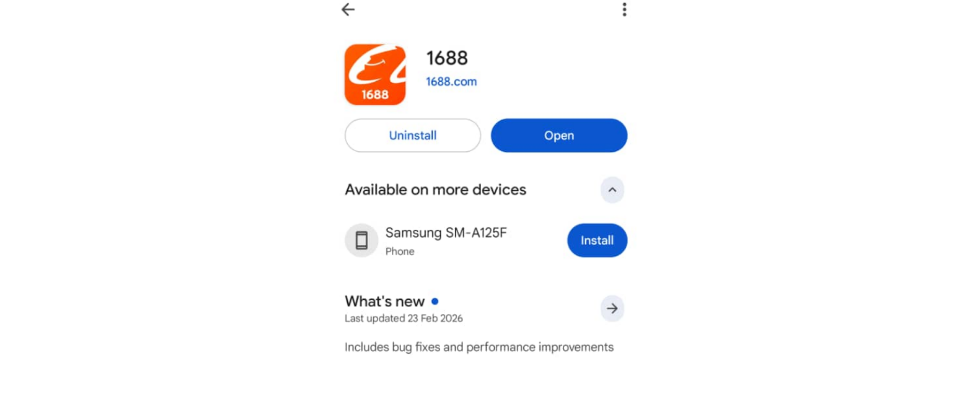
Search for 1688 and install the app.
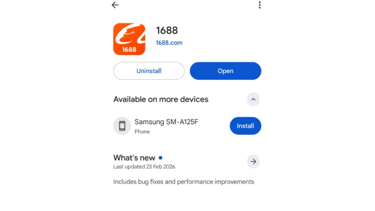
Step 2: Open the app.
When the app opens, choose the country code and region.
Find and select the country (Nigeria) and the code (+234).
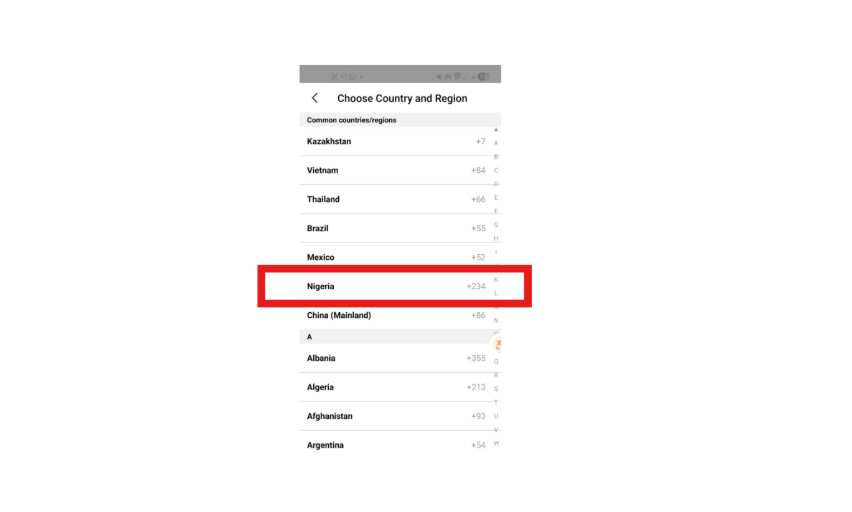
Step 3: Enter your phone number.
You’ll see a phone number box. Enter your correct phone number.
Example:
8012345678
Step 4: Get the verification code.
Tap the GET button to receive a code.
1688 will send the verification code to your phone via WhatsApp/SMS.
As you wait for the code, click “Agree” to the Service Agreement and Privacy Protection on the pop-up.
When you receive the code, enter it in the app within 59 seconds.
Step 5: Click Log in.
When you click “Log in,” you’ll have to wait for a few seconds. (This depends on your network speed.)
Step 6: Verify your ID.
Click “Get code” to verify your ID.
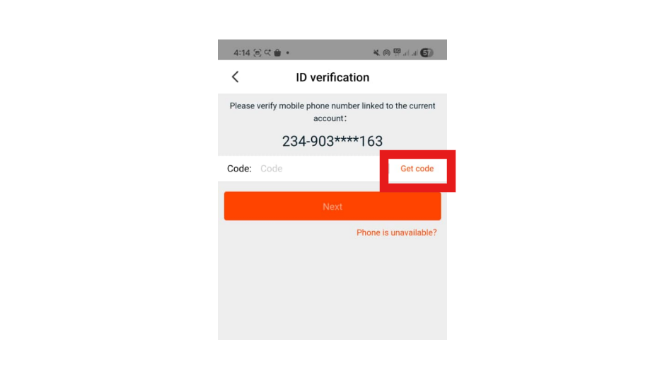
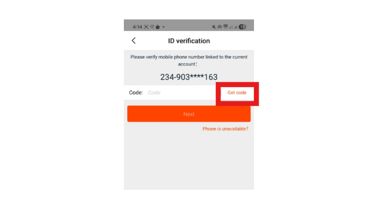
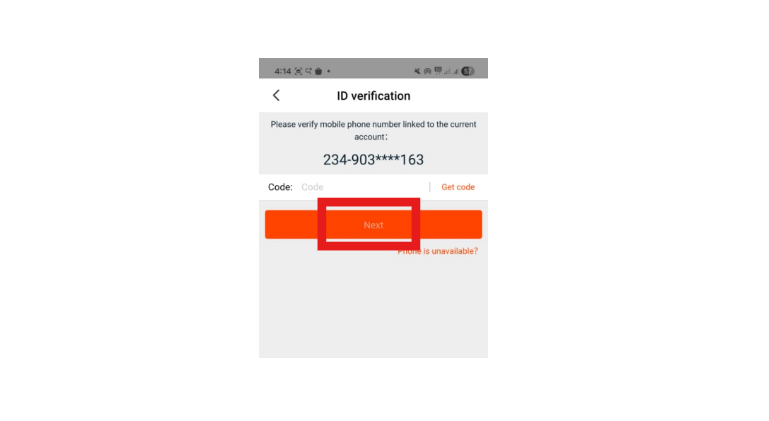
When you receive the code, enter it within 59 seconds.
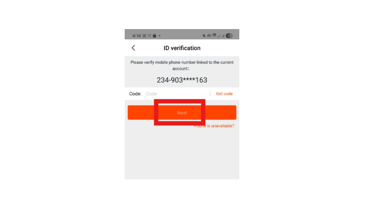
Then click “Next.”
Step 7: Click Lift restrictions.
First, turn on your phone's location to allow 1688’s Risk Centre to access and lift your restrictions.
Then click “Lift restrictions.”
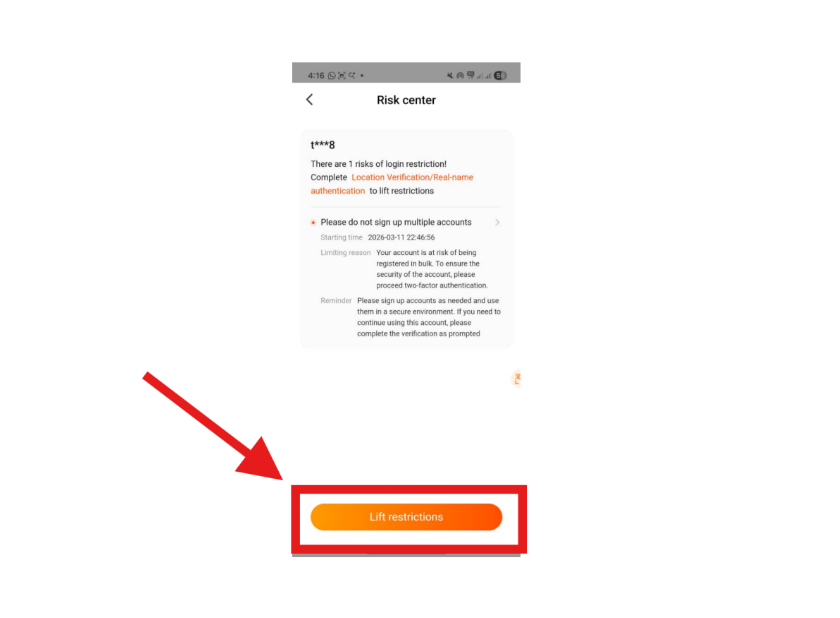
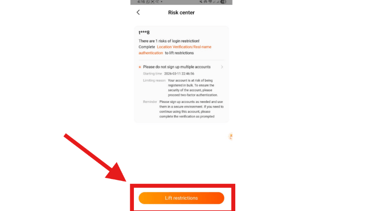
After this, select your preferred ID verification method.
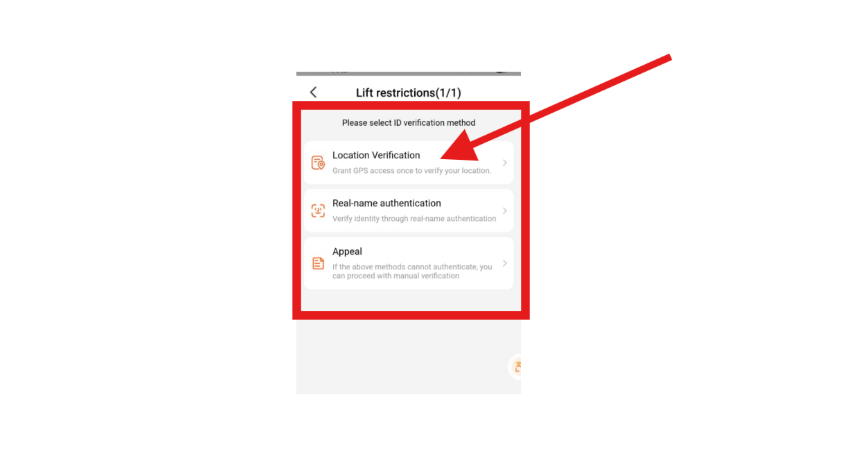
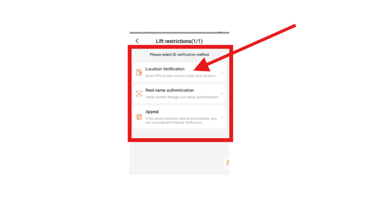
If you want it fast, select “Location verification.”
Then click “Allow once,” and 1688 will lift all restrictions.
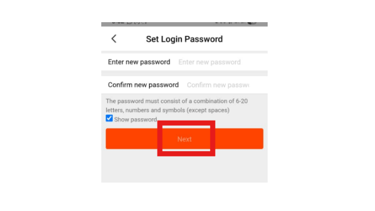
Step 8: Create your login password.
To create your password and secure your account,
I. Open the 1688 app.
II. Click “Me” at the bottom of the app.
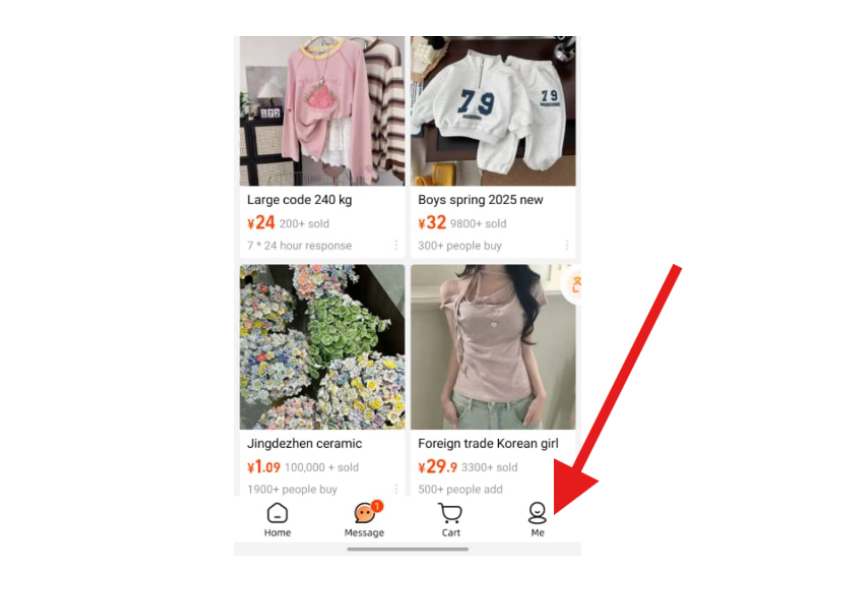
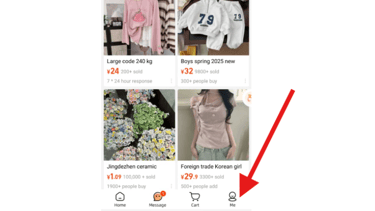
III. Click on the settings icon at the top-right area of your phone screen.
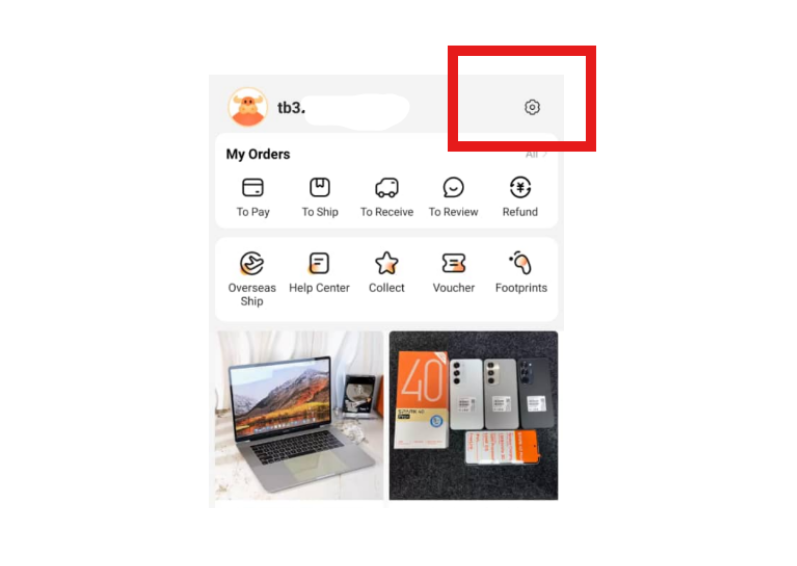
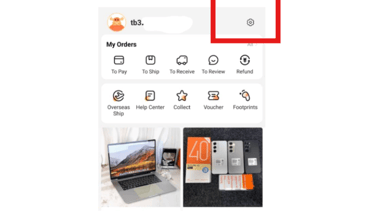
IV. Find and click “Account and Security” in the options.
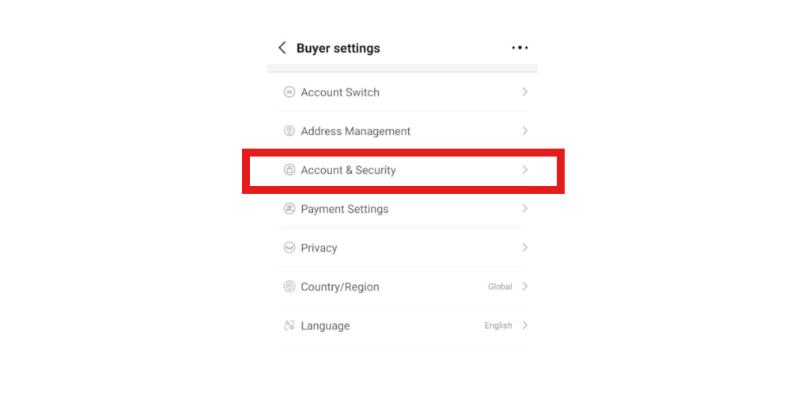
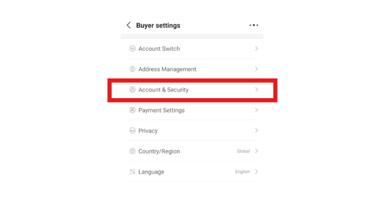
V. Click “Set Login Password.”
VI. Verify your ID by clicking “Get code.”
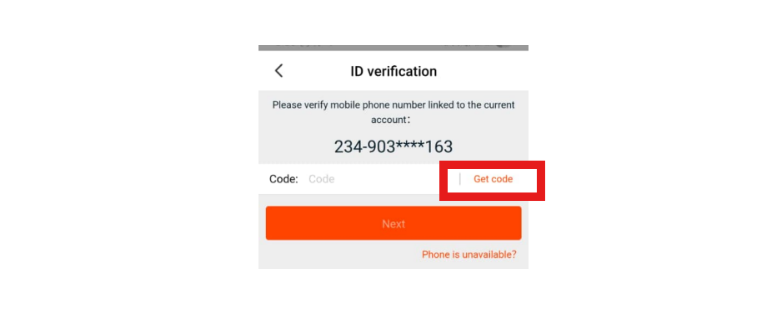
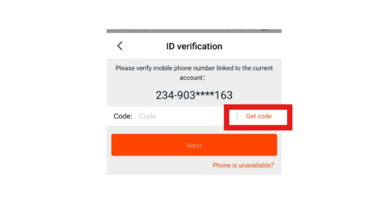
VII. Enter the code within 59 seconds when you receive it.
VIII. Click “Next.”
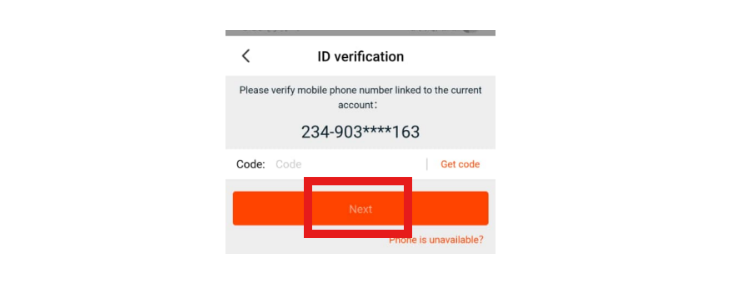
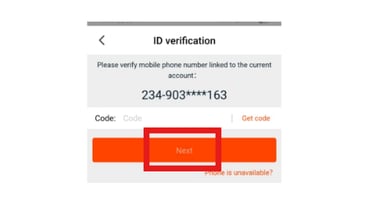
IX. Then set the login password by following the instructions given on the screen.
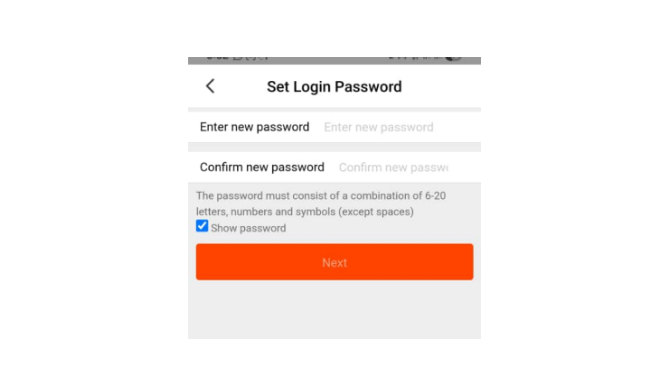
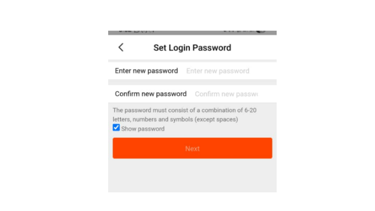
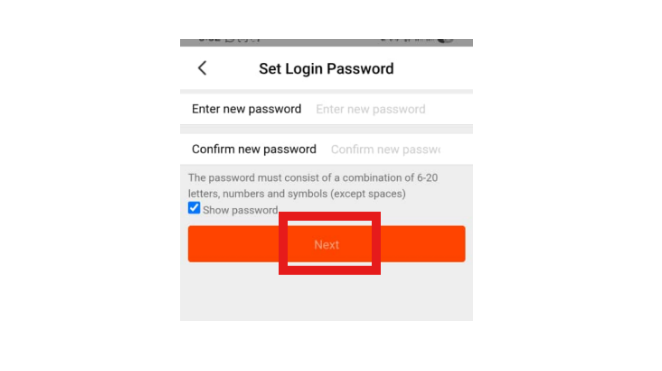
X. Click “Next,” and the app will verify your ID.
Step 9: Finish registration.
Once the password is accepted, your account will be fully created.
You can now:
Log in on your computer/laptop.
Search for products.
Chat with suppliers.
Save products.
Place orders.
Contact us
Phone: +2348038584023
WhatsApp: +2348038584023
Email: info@juneseventhlogistics.com
© 2026. All rights reserved.
June Seventh
June Seventh is a licensed B2B customs brokerage platform that helps commercial merchants secure 5–7 day port clearance in Nigeria. It delivers audit-proof documentation and real-time tracking to eliminate hidden demurrage fees.
Follow us
Privacy Policy Terms of Service